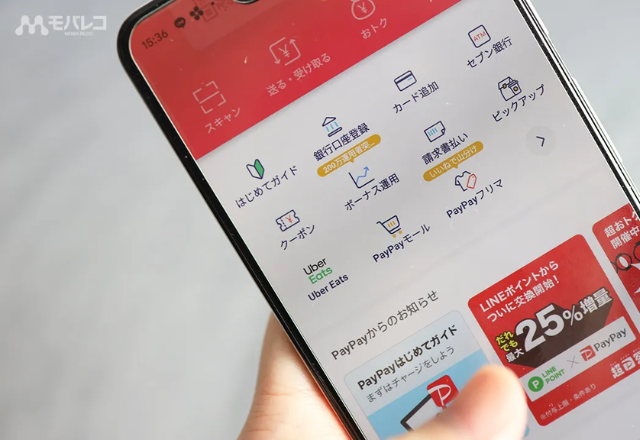
When you arrive in Japan to study Japanese, one of the first things you will notice is how common mobile payments have become. While cash is still widely used, many stores now accept QR code payments via smartphone apps. The most widely used mobile payment app in Japan is PayPay. Millions of stores across the country accept it, including convenience stores, restaurants, supermarkets, and drugstores.
For international students living in Japan for several months or longer, learning how to use PayPay can simplify everyday payments and reduce the need to carry cash.
This guide explains how PayPay works, how foreign residents can set up the app, and what students should know before using it in Japan.
What PayPay Is and Why It’s So Popular in Japan?
PayPay is a QR-code mobile payment system that allows users to pay with their smartphones. Instead of paying with cash or a physical card, users can scan a QR code or display a barcode to complete a payment instantly.

The service is operated by PayPay Corporation, a company backed by SoftBank Group and Yahoo Japan. Today, this application is accepted at millions of merchants throughout Japan.
Key reasons for its popularity include:
- Wide acceptance across Japan: Many small businesses prefer PayPay because it is easy to install and has lower barriers compared to traditional card terminals.
- Simple QR-code payments: Users can complete payments in seconds by scanning a code or showing a barcode.
- Frequent promotional campaigns: Users sometimes receive cashback rewards or discounts for using it at participating stores.
- Integration with Japanese banking systems: Users can easily add funds through bank transfers, ATMs, or linked cards.
For students living in Japan, PayPay is often used for everyday purchases such as convenience store food, train station snacks, or pharmacy items.
Can International Students Use PayPay?
Yes. International residents living in Japan can use PayPay as long as they meet several requirements.
Most students studying at a Japanese language school will be able to set up PayPay once they have completed their initial arrival procedures.
Typical requirements include:
- A Japanese phone number
- A smartphone capable of installing the app
- A Japanese resident status
- Identity verification (optional but recommended for full functionality)
How to Set Up PayPay in Japan?
1. Download the PayPay App
Install the PayPay app from the Apple App Store or Google Play. Note that due to region restrictions, you might not be able to download the app. If that’s the case, register a Japanese Apple ID or Google Play account to download!
Once installed, open the app and register using your Japanese mobile phone number. PayPay will send an SMS verification code to confirm the number. You will be all set after entering the code.
2. Complete Identity Verification (Optional But Recommended)
Identity verification is optional, so you can still use PayPay’s basic functions without verifying. However, completing this step unlocks more features and higher transaction limits.
Verification usually requires:
- Residence card (在留カード)
- Selfie verification inside the app
- Basic personal information
Completing verification allows you to:
- Link Japanese bank accounts
- Increase payment limits
- Enable additional services
3. Add Money to Your PayPay Wallet
Before making payments, you need to add funds to your PayPay balance. There are several common methods:
Bank Transfer
Users can connect a Japanese bank account to transfer funds directly into their PayPay wallet.
Many major banks are supported, including:
ATM Cash Deposits
Students who primarily use cash can deposit money at supported ATMs. For example, Seven Bank ATMs allow users to add cash directly to their PayPay balance. These ATMs are commonly found inside 7-Eleven stores across Japan.
Steps typically include:
- Select PayPay charge on the ATM screen
- Open the PayPay app and generate a code
- Scan the code at the ATM
- Insert cash
Linking a Credit Card
Some users link a credit card to PayPay for payments. While this may seem convenient, there are some restrictions. For example, this feature only works for Visa and Mastercard, and some foreign cards may not be supported. Therefore, many students rely on bank transfers and ATM cash deposits.
How Payments Work with PayPay
PayPay supports two main payment methods.
1. Scan a Store’s QR Code
Many small restaurants and independent shops display a PayPay QR code near the cashier.
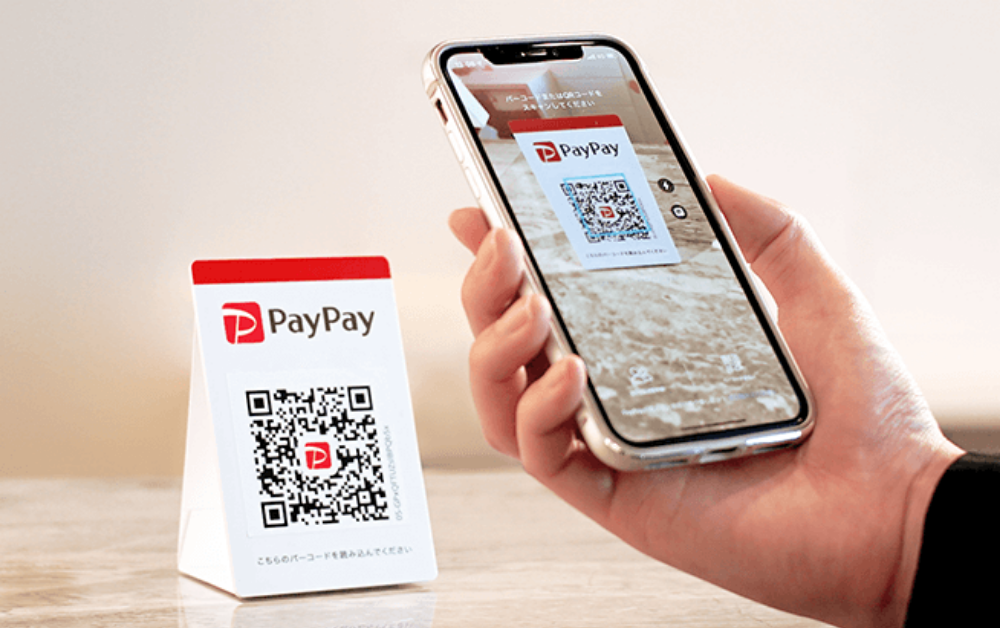
Here are the steps to pay using PayPay QR code method:
- Open the PayPay app
- Tap “Scan”
- Scan the store’s QR code
- Enter the payment amount
- Confirm payment
The store will receive confirmation immediately. Sometimes, you will also hear a charm that goes “PayPay” when paying!
2. Show Your Barcode
At larger stores, the cashier scans your PayPay barcode instead.
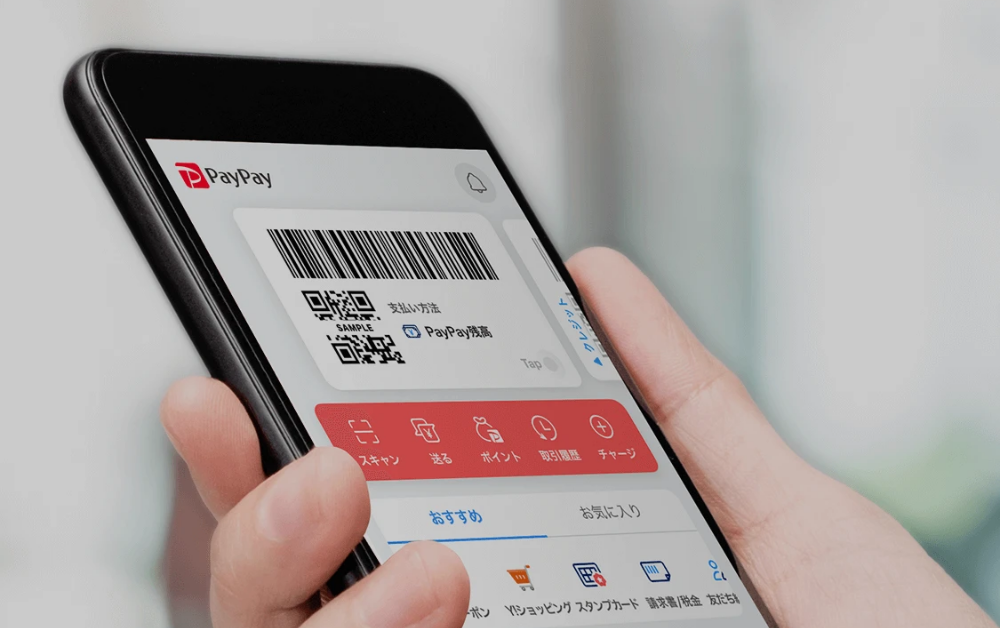
Here are the steps to pay using PayPay barcode method:
- Open the PayPay app
- Show the barcode on your phone
- The cashier scans the code
- Payment is processed automatically
Where You Can Use PayPay in Japan
PayPay is accepted across a wide range of businesses in Japan and some common places includes:
- Convenience Stores
- 7-Eleven
- FamilyMart
- Lawson
- Drugstores and Discount Stores
- Matsumoto Kiyoshi
- Don Quijote
- Restaurants and Cafes
- Supermarkets and Retail Shops
Situations Where PayPay May Not Work
Although PayPay is widely accepted, there are still situations where cash is necessary. Students should be aware of a few limitations.
- Small local shops may only accept cash.
- Certain transportation systems (such as trains) do not support PayPay payments.
- Older vending machines may not accept mobile payments.
- Poor Internet would also affect the use of PayPay.
Because of this, it is still important to carry a small amount of cash or a credit card with you.
Benefits of Using PayPay as a Student
So, why should you use PayPay. For International students, PayPay is convenient for everyday spending. Some key benefits that people found are:
- Faster checkout
- Less need to carry coins
- Expense tracking
- Immediate money transfer (e.g., when splitting a meal)
- Promotional rewards (e.g., cashbacks)
Preparing for Life in Japan as a Japanese Language School Student
Understanding everyday systems in Japan — from transportation cards to payment apps — makes daily life much easier for international students.
Another important step before coming to Japan is choosing the right language school.
If you’re planning to study Japanese in Japan, Coto School Finder helps students compare Japanese language schools and apply with expert guidance.
Coto School Finder helps students:
- Compare Japanese language schools across Japan
- Understand visa requirements
- Prepare school applications
- Choose a program that fits their study goals
Whether you want to study Japanese for career opportunities, long-term residence, or personal interest, choosing the right school is one of the most important decisions to make before arriving in Japan.
FAQ
Do I need to be a Japanese citizen to use PayPay?
No. Foreign residents living in Japan can use PayPay if they have a Japanese phone number and complete account registration.
Can tourists use PayPay?
Most PayPay features are designed for residents. Tourists usually cannot fully use the app because it requires a Japanese phone number and identity verification.
Do I need a Japanese bank account to use PayPay?
No. Users can add funds using supported ATMs or some credit cards.
Is PayPay accepted everywhere in Japan?
No. While it is widely accepted, some smaller businesses still accept only cash.
Is PayPay safe?
Yes. PayPay includes account verification, transaction notifications, and payment confirmation features.
When should students set up PayPay after arriving in Japan?
Most students set up PayPay after they receive a Japanese SIM card and residence card.
Can I use PayPay to pay rent or tuition?
Usually no. Most rent and tuition payments require bank transfers rather than mobile payment apps.